




AI Workflow Automation
Conversations into work, work into automation
Automatically creates and executes the tasks needed from service results, and efficiently manages the whole business process, from follow-up handling to notifications.
Automatically creates and executes the tasks needed from service results, and efficiently manages the whole business process, from follow-up handling to notifications.
Automate the work that repeats after every conversation
Connects work that repeats after every service to AI Workflow, and carries out everything from recording to follow-up handling and notifications quickly and consistently.

Automatic after-call work
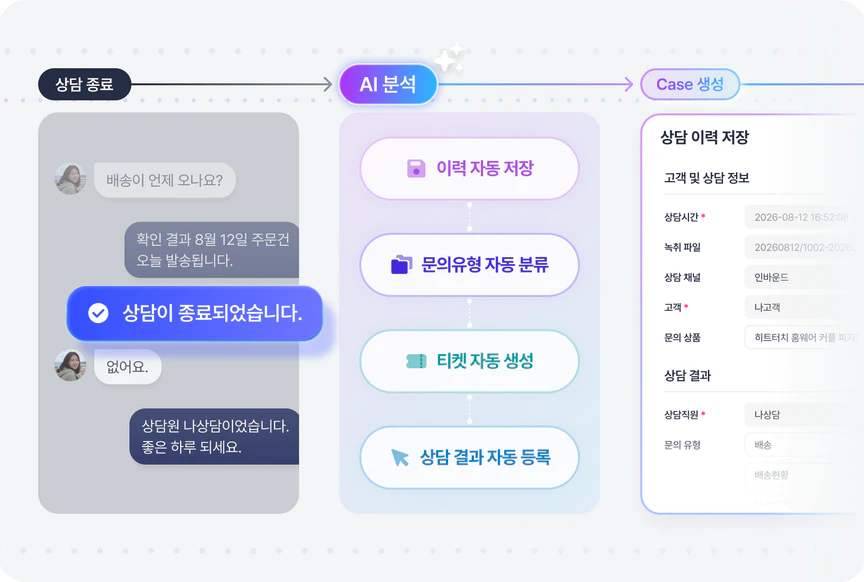
Saves the service history the moment a service ends, and automatically handles follow-up work such as creating tickets and entering CRM information.

Repetitive task automation
AI analyses service results and classifies the type of inquiry, then automatically performs repetitive work.
Automated message delivery
Decides when to send based on service and task results, and automatically delivers the notifications that customers and staff need.


Case Management
When a conversation ends, the next task starts itself
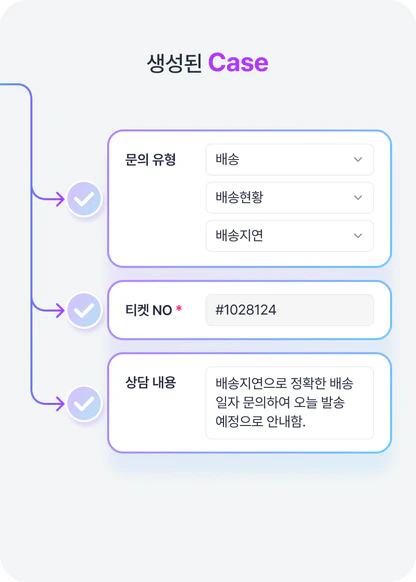
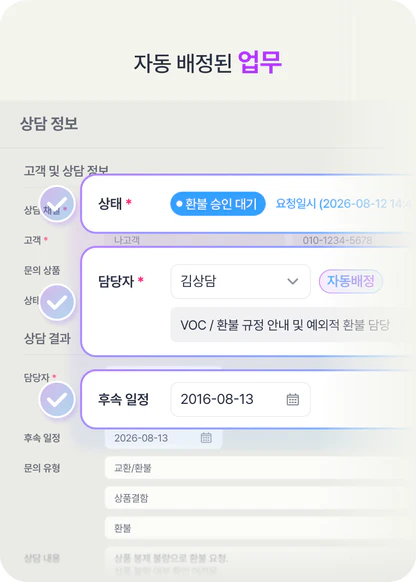
Automatically creates and handles Cases from service data. Service history, tickets, CRM and other related information are linked without gaps to keep work continuous.
Automatically creates and handles Cases from service data. Service history, tickets, CRM and other related information are linked without gaps to keep work continuous.






Intelligent Workflow
Automated business processes
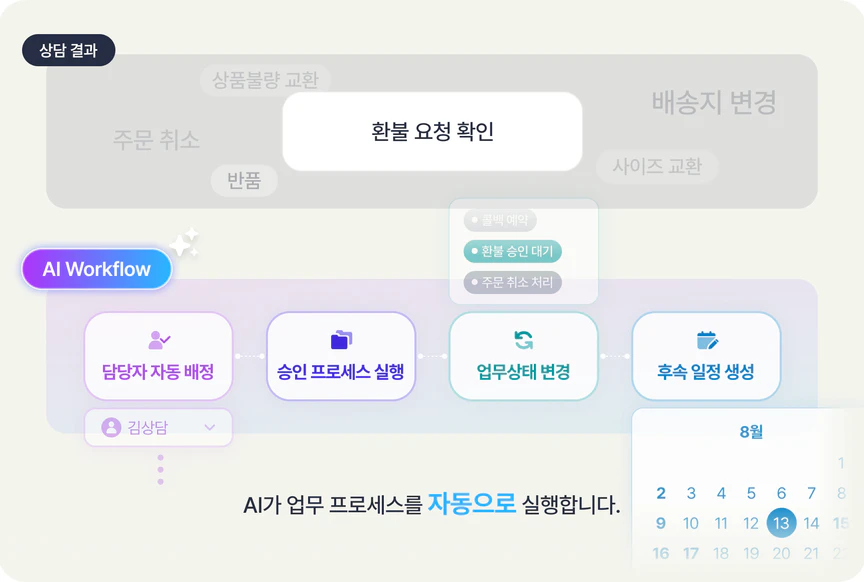
AI classifies, judges and executes. Based on the service content, it decides the type of work and the process, and automatically runs the follow-up work according to the defined Workflow.
AI classifies, judges and executes. Based on the service content, it decides the type of work and the process, and automatically runs the follow-up work according to the defined Workflow.






Notification Automation
The right notification, sent automatically
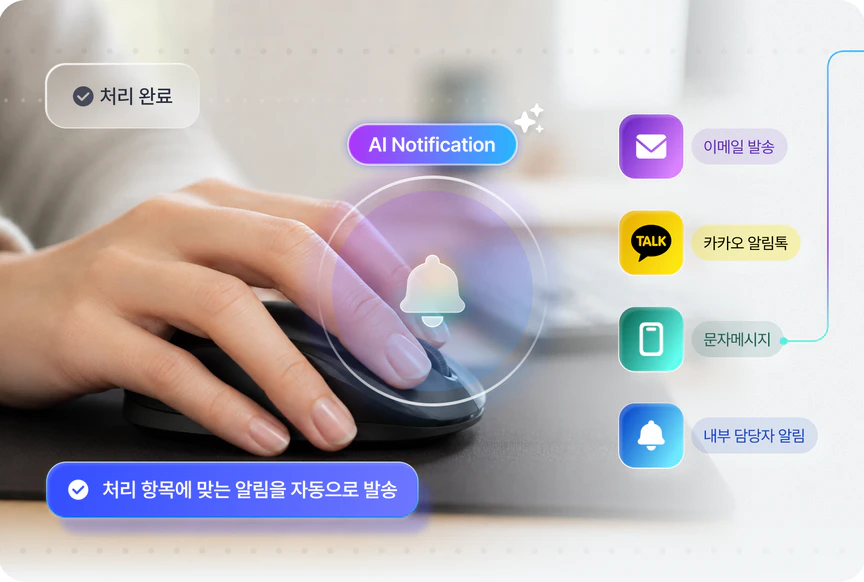
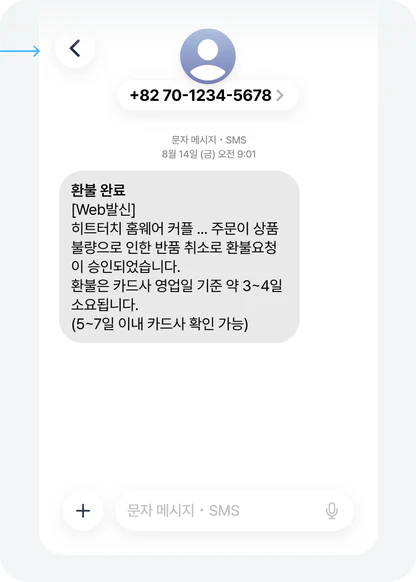
Decides send conditions based on service and task results, and quickly delivers messages by SMS, email and Kakao Alimtalk, as well as notifications to internal staff.
Decides send conditions based on service and task results, and quickly delivers messages by SMS, email and Kakao Alimtalk, as well as notifications to internal staff.




Meet an AI contact centre built for your business
With experience across many industries and AI at its core, we shape the service environment and customer experience your business needs. Explore use cases and specialised features for each field.












Frequently Asked Questions
Do agents have to create a ticket themselves after a conversation ends?
Tickets can be set to be created automatically when a conversation ends, reducing the work of registering them by hand. Saving service history and entering it in the CRM are linked as well, so follow-up work runs as one flow. For example, a conversation that needs further action automatically generates a ticket together with the conversation details, and the person in charge can check what was passed on. Follow-up proceeds without asking the customer the same things again, reducing repetitive registration work while making sure the necessary action continues after the conversation.
Can different processes be applied depending on the type of inquiry?
Yes. AI analyzes the result of a conversation to classify the inquiry type and can run the work procedure set for each type. For example, a simple question is closed after saving the service history, while a technical support request is passed on to the responsible team. Each procedure can be linked to follow-up work such as creating a ticket, recording in the CRM and notifying the person in charge. This applies the procedure that fits the nature of the inquiry and helps staff handle work by consistent standards.
Can customers and staff be notified of results automatically?
Yes. Notifications can be sent automatically to customers and staff based on the result of a conversation or task. You set the sending conditions for the points where a notification is needed, such as receipt confirmed, status changed or task completed. Customers can be told the result through the channel that suits the purpose, such as a receipt confirmation, SMS, email or Kakao Alimtalk, and staff can be sent the tasks that need their attention. This reduces repetitive sending work and helps customers and staff see the information they need on time.
